 >
>
Google Pay UPI Guide
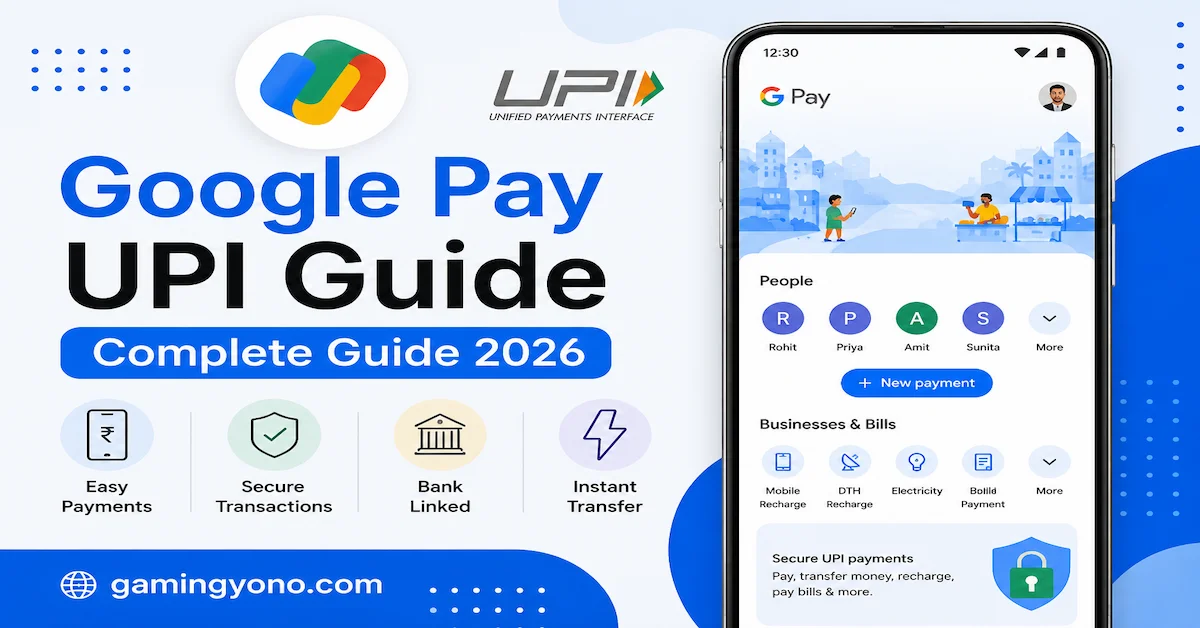
Google Pay UPI Guide 2026 – Google Pay App Kaise Use Kare
Aaj ke digital India me online payments bahut fast aur easy ho gaye hain. UPI technology ki wajah se users ab seconds me money transfer kar sakte hain. India me sabse popular UPI apps me se ek Google Pay hai. Is app ka use millions of users daily recharge, bill payment, money transfer aur shopping ke liye karte hain.
Agar aap Google Pay app ko safely aur properly use karna chahte hain, to yeh detailed guide aapke liye helpful hogi. Mobile apps aur digital payment guides ke latest updates ke liye gamingyono.com visit kar sakte hain.
What Is Google Pay?
Google Pay ek digital payment application hai jo UPI (Unified Payments Interface) technology par based hai. Is app ki help se users directly bank account se online payments aur money transfer kar sakte hain.
Google Pay ka interface simple aur user-friendly hota hai jisse beginners bhi easily use kar sakte hain.
Main Features of Google Pay
- Fast UPI money transfer
- Mobile recharge
- Electricity & bill payment
- QR code payment
- Bank-to-bank transfer
- Secure payment system
- Easy transaction history
- Multiple bank support
How To Download Google Pay
Google Pay app download karne ke liye:
- Google Play Store open karein
- Search karein “Google Pay”
- Official app install karein
- App open karein
- Mobile number verify karein
App install karne ke baad aapko bank account connect karna hota hai.
How To Create Google Pay Account
Google Pay account banana bahut easy hai:
- Mobile number enter karein
- OTP verify karein
- Google account connect karein
- Bank select karein
- UPI PIN setup karein
UPI PIN set karne ke baad aap payments start kar sakte hain.
How To Send Money Using Google Pay
Google Pay se money transfer karne ke multiple methods available hain:
1. Mobile Number
Aap kisi bhi Google Pay user ko mobile number ki help se money bhej sakte hain.
2. UPI ID
UPI ID enter karke directly bank account me money transfer kiya ja sakta hai.
3. QR Code
QR code scan karke instantly payment kiya ja sakta hai.
4. Bank Transfer
Direct bank account details enter karke bhi transfer possible hai.
Google Pay Recharge Guide
Google Pay app ki help se users easily mobile recharge kar sakte hain:
- Recharge option open karein
- Mobile number enter karein
- Operator select karein
- Plan choose karein
- UPI PIN enter karein
Recharge instantly successful ho jata hai.
Bill Payment Features
Google Pay app me multiple bill payment options available hain:
- Electricity bill
- Gas bill
- Water bill
- DTH recharge
- Broadband payment
- FASTag recharge
Google Pay Security Features
Google Pay secure payment technology use karta hai jisse transactions safe rehte hain.
Main Security Features
- UPI PIN protection
- OTP verification
- Secure banking system
- Google security layer
- Fraud protection alerts
Users ko hamesha apna UPI PIN private rakhna chahiye.
Important Safety Tips
- Kisi ko UPI PIN share na karein
- Unknown payment requests accept na karein
- Official app hi install karein
- Fake customer care numbers avoid karein
- Phone lock enable rakhein
Digital payment safety guides ke liye gamingyono.com visit kar sakte hain.
Benefits of Using Google Pay
- Fast transactions
- Easy interface
- 24/7 payments
- Cashless transactions
- Multiple bank support
- Easy bill payments
- Instant recharge facility
Common Problems in Google Pay
Kabhi-kabhi users ko kuch issues face karne pad sakte hain:
- Bank server issue
- OTP delay
- Transaction pending
- UPI PIN error
- Network problem
Most issues automatically solve ho jate hain after some time.
How To Fix Transaction Problems
- Internet connection check karein
- Bank server status check karein
- App update karein
- Phone restart karein
- Correct UPI PIN use karein
Google Pay Rewards & Offers
Google Pay users ko kabhi-kabhi rewards aur cashback offers bhi provide karta hai.
- Scratch cards
- Cashback offers
- Recharge rewards
- Festival offers
- Referral benefits
Google Pay For Business
Small business owners bhi Google Pay ka use payments receive karne ke liye kar sakte hain.
QR code ki help se customers easily payment kar sakte hain.
How To Check Transaction History
Google Pay me transaction history easily available hoti hai:
- App open karein
- Profile icon par click karein
- Transaction history open karein
- Payment details check karein
Google Pay Customer Support
Agar kisi transaction me issue ho to app ke help section ka use kiya ja sakta hai.
Users ko sirf official support channels ka use karna chahiye.
Future of UPI Payments in India
India me UPI payment system rapidly grow kar raha hai. Future me digital payments aur fast aur secure hone wale hain.
Google Pay jaise apps digital India ko support kar rahe hain aur users ko easy payment experience provide kar rahe hain.
SEO Internal Links
Frequently Asked Questions (FAQ)
Is Google Pay safe?
Haan, Google Pay secure UPI technology use karta hai.
Can I use Google Pay without ATM card?
Usually bank verification ke liye ATM card details required ho sakti hain.
Does Google Pay support all banks?
Most Indian banks Google Pay support karte hain.
Can I recharge mobile using Google Pay?
Haan, app me recharge option available hai.
What should I do if transaction fails?
Internet aur bank status check karein aur kuch time baad retry karein.
Conclusion
Google Pay India ka ek popular aur easy-to-use UPI payment app hai. Iski help se users safely online payments, recharge aur money transfer kar sakte hain.
Hamesha trusted platforms use karein aur apna UPI PIN secure rakhein. Digital payment guides aur latest updates ke liye gamingyono.com visit karte rahein.